

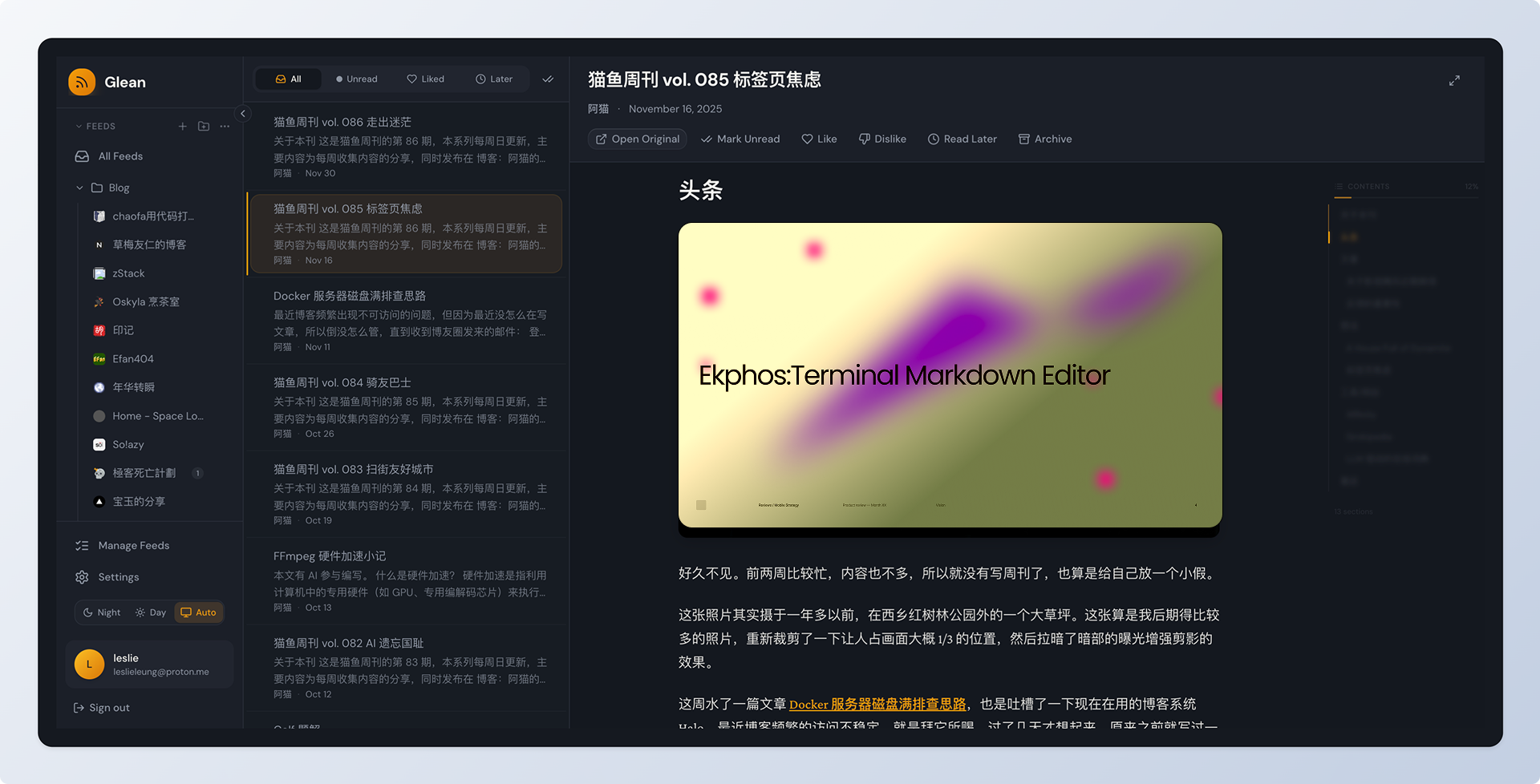
In an era where data privacy is non-negotiable, ditching bloated, ad-riddled apps for a self-hosted RSS reader like Glean is a game-changer. If you’re tired of Big Tech tracking your reading habits, Glean offers a sleek, open-source solution that puts you in control. Built by Leslie Leung, this self-hosted RSS reader combines feed aggregation with smart knowledge management—think folders, tags, and a “read-later” queue—all running on your own server. Let’s dive into why Glean deserves a spot in your tech stack.
Why Glean Stands Out as a Self-Hosted RSS Reader
Glean isn’t just another feed fetcher; it’s a full-fledged personal dashboard for curating content. At its core, it supports RSS and Atom subscriptions with seamless OPML import/export, so migrating from tools like Feedly is a breeze. The “smart reading” mode strips away clutter for a distraction-free view, while background sync keeps everything fresh every 15 minutes—no manual refreshes needed.
Key features that make Glean shine:
- Organized Chaos: Multi-level folders and tags to categorize feeds effortlessly.
- Bookmark Bliss: Save articles from feeds or external URLs, with auto-cleanup for your “read-later” list.
- Admin Power: A dedicated dashboard for user management and system monitoring.
- Modern Vibes: Responsive UI with a warm-dark theme, built on React and Tailwind for that premium feel.
And it’s not stopping there—upcoming updates promise AI summaries, auto-tagging, and even a Chrome extension. For now, the Docker-based setup ensures it’s lightweight and scalable, whether you’re on AMD64 or ARM64 hardware.
Quick Setup: Self-Hosted RSS Reader in Minutes
Getting Glean up and running as your new self-hosted RSS reader is ridiculously simple. No DevOps expertise required—just Docker. Here’s the fast track:
- Grab the compose file:
curl -fsSL https://raw.githubusercontent.com/LeslieLeung/glean/main/docker-compose.yml -o docker-compose.yml- Fire it up:
docker compose up -dFor a lighter version without Milvus (AI vector DB), swap to docker-compose.lite.yml.
- Create an admin: Run the script or set env vars like
CREATE_ADMIN=trueand your credentials.
Tweak the .env file for production—set a SECRET_KEY, update POSTGRES_PASSWORD, and adjust ports (web UI on 80, admin on 3001). Boom: Access at http://localhost and start subscribing.
Powered by Python/FastAPI backend, PostgreSQL, and Redis, Glean is efficient and extensible. It’s licensed under AGPL-3.0, so you can fork and contribute via GitHub.
Reclaim Your Feeds with Glean Today
In a world of fleeting attention, a self-hosted RSS reader like Glean empowers you to own your information flow. It’s privacy-first, feature-packed, and dead simple to deploy—perfect for bloggers, researchers, or anyone curating daily reads. Ready to ditch the subscriptions? Head to the Glean GitHub repo and self-host your way to smarter reading. What’s your first feed to add? Share in the comments!
Related Read: Loving self-hosted tools? Level up your diagramming game with Excalidash: Revolutionize Your Excalidraw Workflow another open-source powerhouse for seamless collaboration.
