

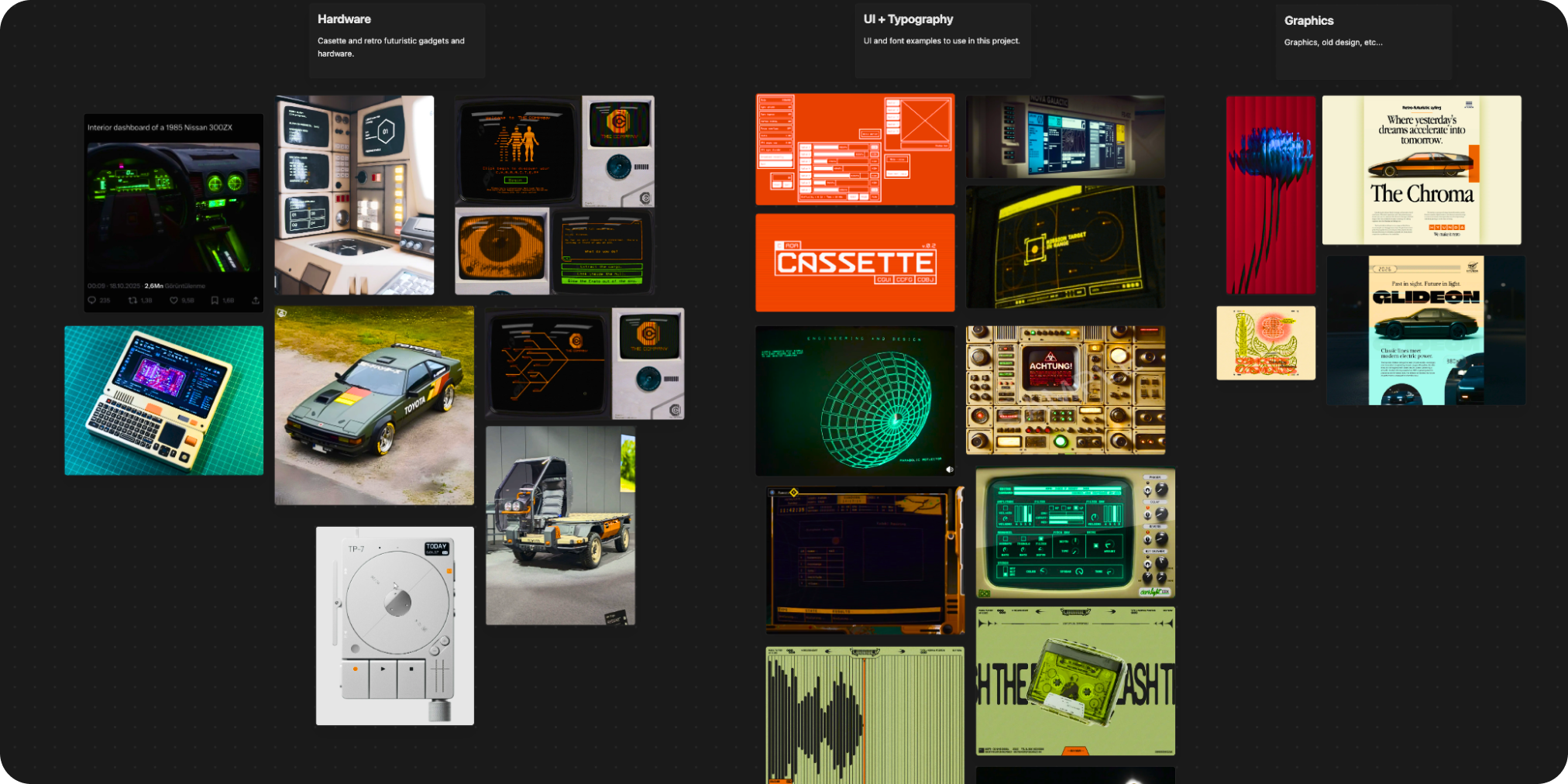
In the ever-evolving world of user interfaces, retro futuristic UI components are making a bold comeback. Drawing from the gritty, analog-meets-digital aesthetic of 1970s-80s sci-fi classics like Alien and Blade Runner, these designs blend nostalgic charm with futuristic flair. If you’re a developer or designer seeking to infuse your projects with “cassette futurism” vibes think phosphor glows, scanlines, and chunky bezels the open-source repository Retro-Futuristic UI Gallery is your ultimate inspiration hub.
What Are Retro Futuristic UI Components
Retro futuristic UI components capture the essence of retro-futurism: a style where vintage tech collides with speculative visions of tomorrow. Popularized in games like Signalis and concept art by creators like Nathan David Jones, this aesthetic uses amber-on-black palettes, curved screens, and glitch effects to evoke immersion and storytelling. Unlike sleek minimalism, these elements add personality, making apps feel alive and narrative-driven. Perfect for indie games, interactive stories, or branded web experiences, they stand out in a sea of flat designs.
Spotlight: Key Retro Futuristic UI Components in the Gallery
This React-based gallery showcases two standout retro futuristic UI components:
CRT Terminal
- Authentic CRT Effects: Curved screen with elliptical borders, phosphor text glow (amber/orange hues), and scanline overlays via CSS gradients.
- Interactive Magic: Boot animations, typewriter text reveals, keyboard navigation (↑↓ + Enter), and random glitches for that lived-in hardware feel.
- Details That Pop: Beige bezel, vent slots, and a blinking green power LED complete with vignette edges and specular highlights.
LCD Surveillance Device
- Vintage LCD Vibes: Greenish pixel-grid screen simulating old matrix displays, with subtle horizontal scanlines.
- Hardware Fidelity: 3D-pressable buttons, red LED indicators, metallic speaker grilles, and a branded “THE COMPANY” lens with focal markings.
- Subtle Touches: Gray plastic housing gradients and glass reflections for depth.
Built with React, TypeScript, Vite, and fonts like VT323 and Orbitron, these components are lightweight and browser-friendly (Chrome, Firefox, Safari, Edge).
Quick Start with Retro Futuristic UI Components
Getting hands-on is a breeze:
- Clone the repo:
git clone https://github.com/Imetomi/retro-futuristic-ui-design.git - Install:
npm install - Dev server:
npm run dev(launches at http://localhost:5173)
Import into your project:
import CRTTerminal from './components/CRTTerminal';
import LCDGadget from './components/LCDGadget';

<CRTTerminal scale={0.8} />
<LCDGadget scale={0.6} />
Customize Your Retro Futuristic UI Components
Tweak palettes swap amber for green phosphor or adjust curvature (border-radius: 30px-80px). The MIT-licensed code encourages experimentation, making it ideal for personalizing to your app’s narrative.
Elevate Your Designs Today
Embracing retro futuristic UI components isn’t just about aesthetics; it’s about crafting memorable user journeys that nod to sci-fi heritage. Dive into the Retro-Futuristic UI Gallery and start building. For deeper dives into UI mastery, explore our Mastering UI Pro Max Skill UI Styles Database your go-to for pro-level design resources.
