

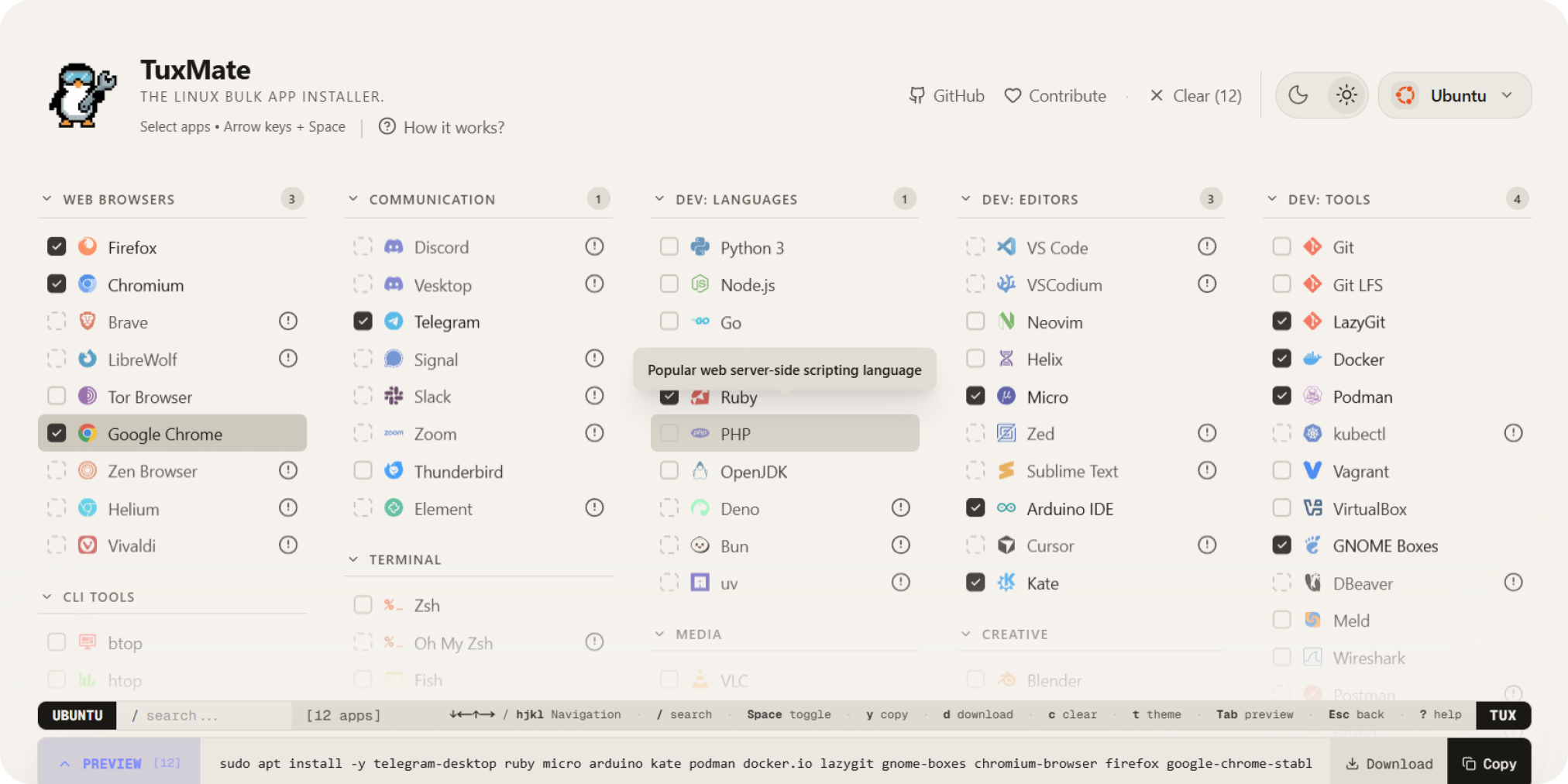
In the world of Linux, where customization is king, setting up a fresh system can feel like a chore especially when you’re juggling dozens of apps. Enter TuxMate, the open-source Linux bulk app installer that’s revolutionizing how developers and power users bootstrap their environments. Designed for efficiency, TuxMate lets you install multiple packages in one go, saving hours of manual commands. If you’re tired of repetitive apt install sessions, this tool is your new best friend.
Why Choose TuxMate as Your Go-To Linux Bulk App Installer?
TuxMate stands out in the crowded field of package managers by focusing on simplicity and speed. Built for Debian-based distros like Ubuntu, it’s a lightweight CLI tool that handles bulk installations with zero fuss. Here’s what makes it shine:
- Batch Installation Magic: Define your app list in a simple YAML or JSON config file, then run one command to deploy everything. No more copy-pasting package names install browsers, editors, dev tools, or media players in bulk.
- Cross-Distro Compatibility: While optimized for APT, it supports extensions for other managers like Pacman or DNF, making it versatile for Arch, Fedora, or beyond.
- Dependency Handling: TuxMate automatically resolves and installs dependencies, flagging conflicts before they derail your setup.
- Customization at Core: Create reusable profiles for different workflows e.g., “Dev Stack” for VS Code, Git, and Docker, or “Multimedia Beast” for VLC and GIMP.
As a secondary perk, TuxMate integrates seamlessly with other CLI powerhouses. For instance, if you’re diving into AI-driven dev tools, pair it with Gemini Conductor, a CLI for orchestrating Gemini-powered workflows that complements TuxMate’s bulk efficiency.

Quick Start: Installing and Using TuxMate
Getting TuxMate up and running is as straightforward as Linux should be. Here’s a step-by-step guide:
- Clone the Repo: Head to the official GitHub repository and clone it:
   git clone https://github.com/abusoww/tuxmate.git
cd tuxmate- Install Dependencies: Run the setup script:
./install.sh- Configure Your Profile: Create a
profile.yamlfile with your desired packages:
   apps:
     - firefox
     - vim
     - git
- docker.io- Bulk Install: Fire it up:
tuxmate install profile.yamlBoom your system is stocked in seconds. TuxMate also supports dry runs (--dry-run) for safe testing and verbose logging for troubleshooting.
Boost Your Linux Workflow with TuxMate Today
In a nutshell, TuxMate isn’t just another Linux bulk app installer; it’s a time-saver that empowers you to focus on what matters building, creating, and innovating. Whether you’re a newbie distro-hopper or a seasoned sysadmin, its intuitive design and robust features make setup painless.
Ready to tux up your terminal? Star the repo on GitHub and contribute your own profiles. For more CLI gems, explore our guide on Gemini Conductor for AI-driven development.
